STEP 1
Choose a design
Browse twelve real menu templates, from cafe-soft to late-night dark. Pick the one that feels closest to your place.
Build your QR menu in minutes. Every change takes seconds, with no reprinting.
HOW IT WORKS
Start with a menu that already has a point of view, then make it yours before the first QR goes on the table.
STEP 1
Browse twelve real menu templates, from cafe-soft to late-night dark. Pick the one that feels closest to your place.
STEP 2
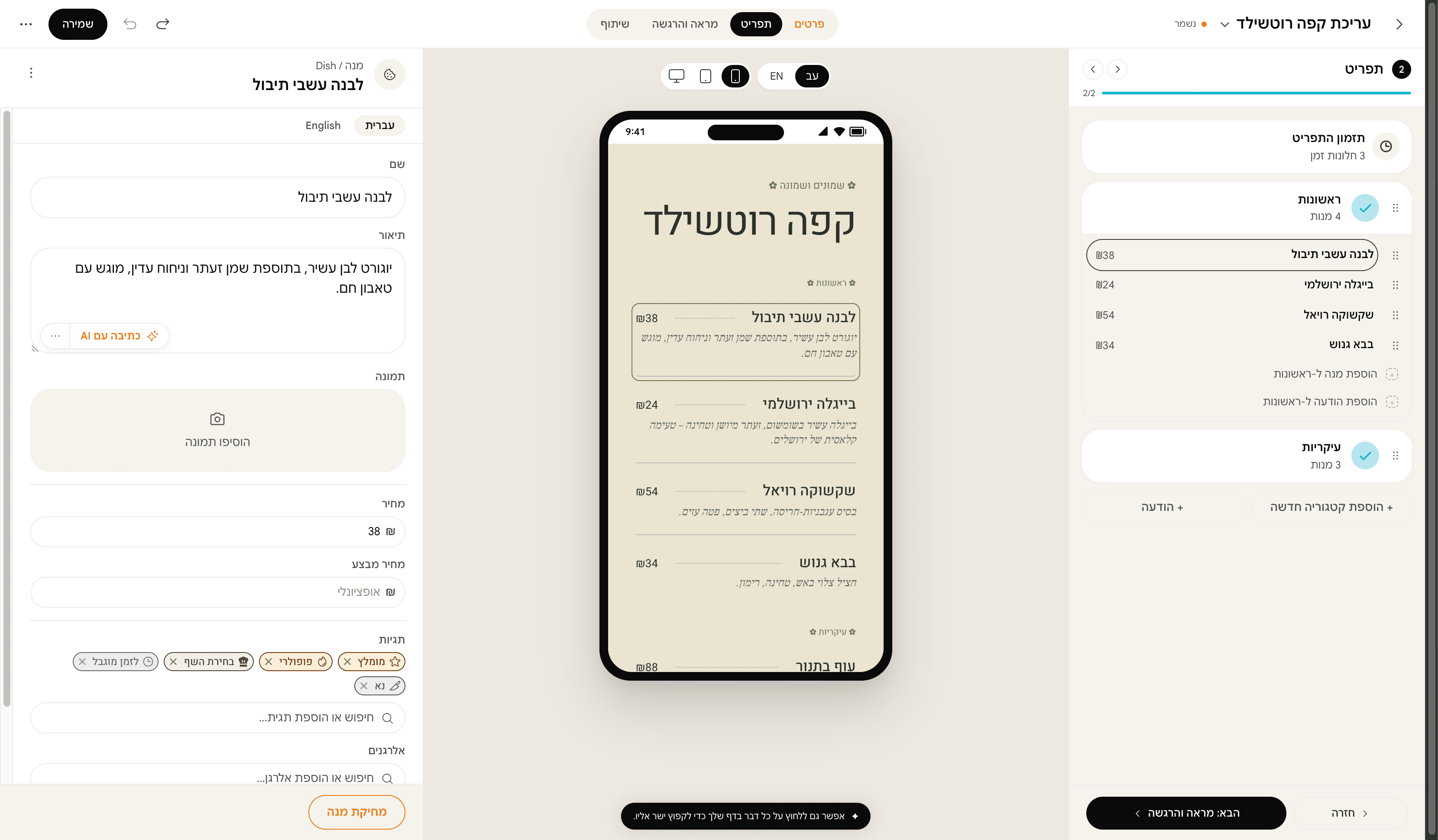
Fill in sections, dishes, descriptions, prices, and tags. The template keeps the layout composed while you work.
STEP 3
Publish once, download the QR kit, and keep the same link when prices, dishes, or hours change.
WHAT'S INSIDE
Every change publishes to every diner instantly. No new link, no app install.
Ready-made library, from newsprint to fine-dining. One pick and you're done.
Vegan · vegetarian · spicy · gluten-free. Diners filter; you stop repeating yourself 200 times a night.
One menu, two languages. The diner picks. Enter both or let auto-translate fill the gap.
What diners search, which category gets the most views, what menu performs better. Plain numbers.
Live scans and views, without opening a report.
Breakfast menu until 1pm, evening menu from 7. Swaps itself on the schedule you set.
CLOSER LOOK
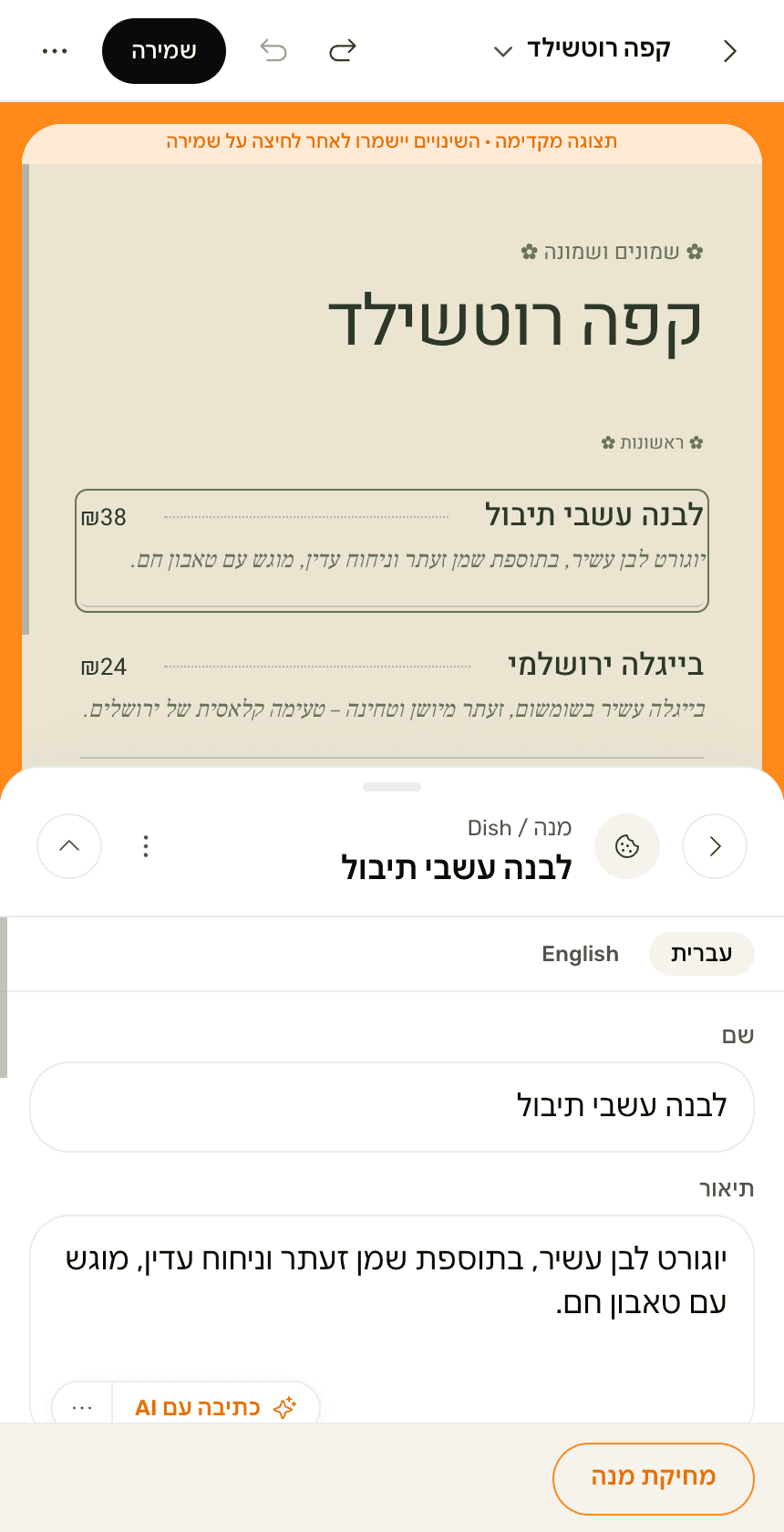
Your menu the same way you see it in the editor. One click - change, publish, watch the result.
FAQ
Right now everything is free. The launch plan opens every feature, with no cap on dishes and no cap on QR scans, and no credit card. There is no paid tier at this stage
No. That's what the 12 ready-made themes are for. Drop in dishes and photos, the theme handles the rest. If you want to go deeper, advanced mode feels like Figma for menus.
Yes. One bilingual menu, diners pick a language. Enter both, or use the built-in auto-translate (and edit before it goes live).
5 minutes if you have an existing menu in Word/PDF - we auto-import. 20–30 minutes typing 30 dishes from scratch. "Publish" pushes to every diner instantly.
No. They scan the QR, the menu opens in their browser. No download, no signup. Works on iPhone, Android and desktop.
Yes. No penalties, no commitment. You can also export your menu as a PDF before you leave - just in case.
A platform for building a digital restaurant menu. You create the menu, get a print-ready QR code and put it on the tables. Diners scan it and read the menu in their browser, with nothing to download
Restaurants, cafes, bars, pizzerias, bakeries, food trucks and street-food stands. Anywhere that serves food or drink and wants a menu it can change without reprinting
Yes, at any time. Change a price, add a dish or mark something sold out, and diners see it immediately. The same QR code keeps working, so there is nothing to reprint
A PDF is built for a printed page, not a phone screen. It needs pinching and dragging, it cannot be searched, and every price change means exporting and uploading a new file. A menewz menu loads fast on mobile, can be searched and filtered, and updates in real time
Two things. Hebrew is the base language rather than an RTL layer added afterwards, with fonts and typography chosen for it from the start. And the design: 12 real templates built by a designer, not colour skins over one shared skeleton
Free to start. No credit card. No designer.